English

BULL BUSINESS SUITE
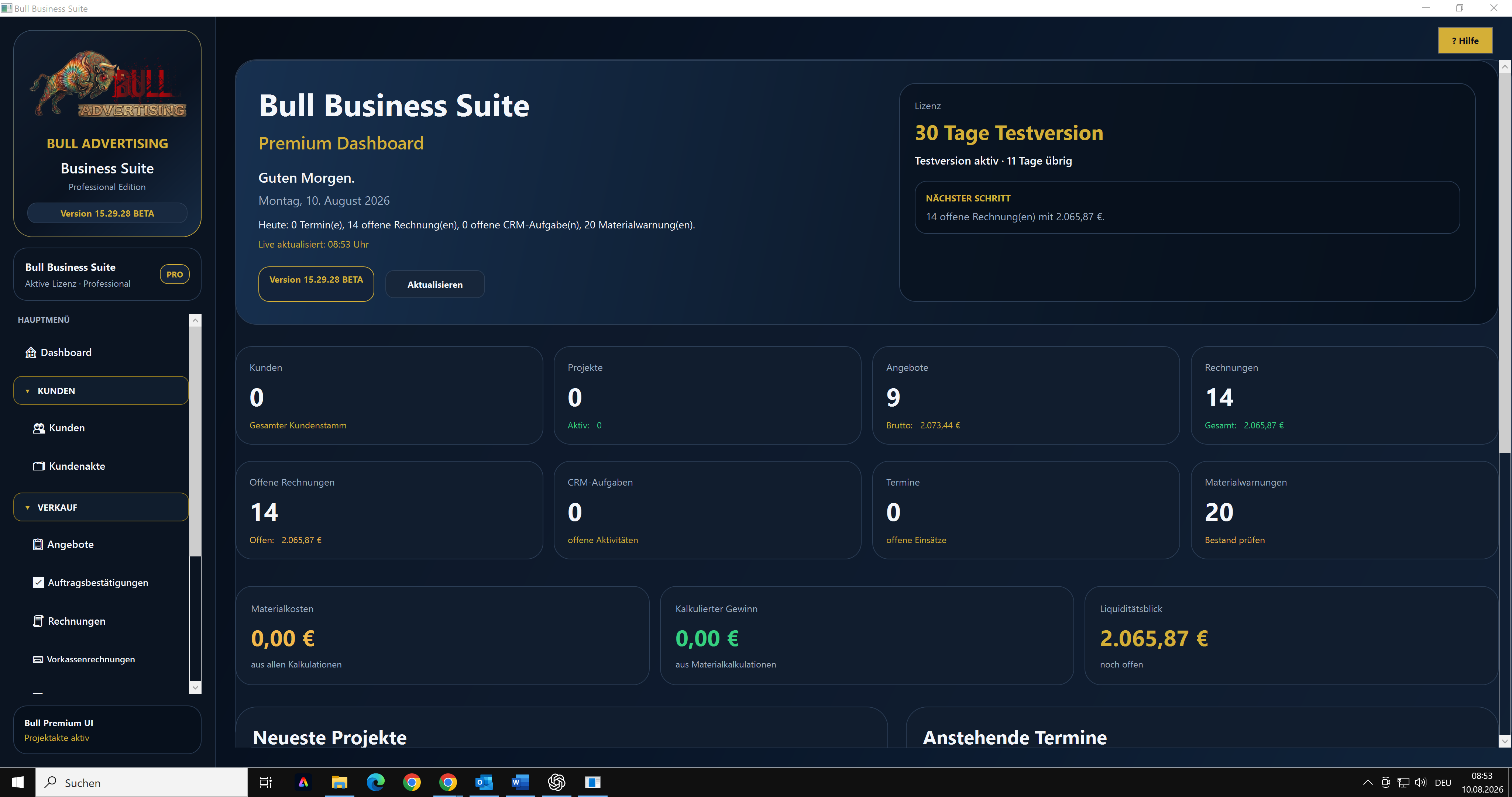
The Bull Business Suite supports small and medium-sized businesses with their day-to-day office work. It is clearly structured, practical, and easy to use without unnecessary complexity.
During the initial setup, you select your industry. The software then configures the service catalogue and quotation templates to match the selected business profile.
The following industry profiles are currently included in the complete version:
- Signmaking and advertising agency
- Marketing agency and AI consulting
- General trade or service business
- Painting and decorating business
- Building cleaning services
- Gardening and landscaping
- Facility and property services
- Industrial cleaning, machinery, and fluid management
WHAT CAN YOU DO WITH THE BULL BUSINESS SUITE?
- Manage customers and contacts
- Import and export customer data using CSV files
- Create, edit, copy, export, and email quotations as PDF files
- Follow up on quotations using resubmissions and reminders
- Generate order confirmations directly from quotations
- Create invoices, advance-payment invoices, and partial invoices
- Deduct advance payments and partial payments from final invoices
- Manage credit notes and cancellations
- Use custom introductory, closing, and line-item texts
- Maintain your own services, materials, units, prices, and categories
- Use industry-specific sample services and quotation templates
- Review documents in a PDF preview before saving or sending them
- Use your own company logo or letterhead for PDF documents
- Add EPC/GiroCode payment codes to invoices for convenient bank transfers
- Link appointments, orders, projects, and deployment planning
- Manage production planning, measurements, photos, and project documents
- Send emails through your own SMTP account
- Use XRechnung and e-invoicing functions as well as various export options
- Create and restore local data backups
The software stores operational data locally on the Windows PC. Customer, quotation, and invoice data is not automatically transferred to Bull Advertising. The user remains responsible for setup, secure operation, statutory retention requirements, and regular data backups.
DOWNLOAD CURRENTLY UNAVAILABLE
The updated, digitally signed English beta version is currently being prepared. Please do not use older installation packages. The English download will be reopened after the new package has been created, digitally signed, and tested.
Once released, the English beta version can be tested free of charge for 30 days from the initial installation.
- No automatic paid renewal is included.
- Installing the software does not create automatic subscription charges.
- When the trial period expires, protected functions are locked and the licensing window is displayed.
- Locally stored company data, customers, quotations, orders, and invoices remain on the computer.
- After a later activation, you can continue working with the existing data.
IMPORTANT NOTICE REGARDING THE BETA VERSION
This release is a beta test version intended for practical evaluation by external test businesses. Despite extensive internal testing, errors or workflows that have not yet been fully optimized may occur.
At this stage, please do not use the beta version as the sole basis for live, accounting, or tax-relevant business processes. Carefully review generated quotations, order confirmations, invoices, e-invoices, and PDF files before saving, sending, or posting them. Also create regular backups using the integrated backup function.
We welcome feedback about usability, missing functions, and possible improvements.
SYSTEM REQUIREMENTS
- Windows 10 or Windows 11
- 64-bit system
- Sufficient user permissions to install an MSI file
- Internet access for downloading, licensing, updates, and optional online functions
- Your own email account credentials if documents are to be sent directly from the software
INSTALLATION UNDER WINDOWS
Installation instructions and the exact MSI filename will be published when the updated, digitally signed English beta package is available.
DIGITAL SIGNATURE AND WINDOWS SECURITY
The future English installation package will be digitally signed. The verified publisher must be displayed as "Bull Advertising Günce".
Before installing the package:
1. Download the file only through the official download link provided by Bull Advertising.
2. Check the complete filename.
3. Verify that Windows User Account Control displays "Bull Advertising Günce" as the publisher.
4. Cancel the installation if an unknown publisher or an invalid signature is displayed.
Because each program version initially has limited download reputation, Microsoft Defender SmartScreen might still display a security notice. In that case, select "More info", verify the filename and publisher, and continue only if both details are correct.
SUPPORT AND FEEDBACK
Bull Advertising Günce
Owner: Tahsin Günce
Am Stausee 24
55585 Niederhausen
Germany
Email: support@bulladvertising.de
Web: https://bulladvertising.de